

Dialysis software integration is an infrastructure challenge with direct consequences for how staff find and use information. Appointments, laboratory results, treatment documentation and equipment records may sit in separate systems. Connecting those systems requires more than adding a dashboard: teams must establish which information is authoritative, how it moves and what happens when a connection fails.
This guide addresses software design and operational coordination for technical teams working with dialysis centres. It does not prescribe treatment or replace clinical judgement. The goal is a dependable information workflow that authorised staff can understand, validate and support.
Table of Contents
1. Map the workflow before connecting systems
Follow a typical information journey from registration and scheduling to documentation and follow-up. Identify where staff re-enter information, wait for a result or reconcile conflicting records. Ask clinical and administrative users to describe the exceptions as well as the normal process.
Connected dialysis systems need boundaries between administrative data, clinical observations and device-related information. An appointment status is different from confirmation that a treatment record has been clinically reviewed. Keep those meanings distinct in both interfaces and reports.
For the first release, choose a limited problem, such as exchanging confirmed appointments between two authorised applications. Record the existing process and the expected change so that staff can recognise when the integration behaves incorrectly.
2. Treat patient identity matching as a separate control
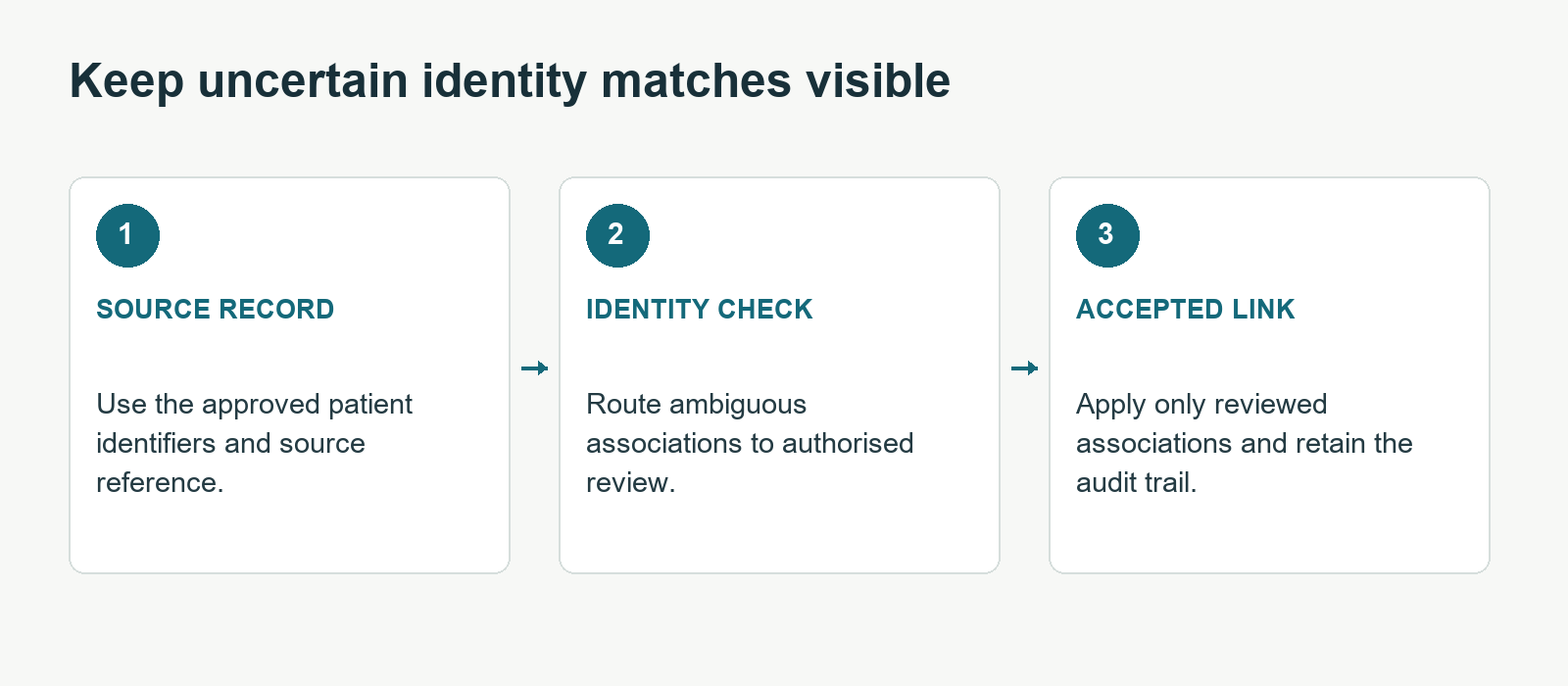
Patient identity matching cannot safely rely on a display name alone. Names may be duplicated, amended or formatted differently across systems. Work with the organisation’s approved identifiers and reconciliation process, including the rules for duplicate records and merged identities.
Create a visible exception queue for ambiguous matches. An unmatched record should not silently attach to the nearest-looking person. Assign an authorised reviewer, document the resolution and preserve an audit trail of changes to the association.
Test representative edge cases using synthetic or appropriately protected data. Include corrected demographic details, repeat registrations and records arriving out of order. These tests verify information handling; they do not establish the clinical correctness of the underlying record.
3. Define healthcare interoperability in practical terms
Healthcare interoperability means that systems exchange information with a shared understanding of its structure and meaning. A successful HTTP response alone does not establish that the receiving application interpreted a field correctly. Agree the data elements, terminology, units, timestamps and status values that each workflow requires.
HL7 FHIR provides a standard for electronic healthcare information exchange. Its use still requires agreement on versions, implementation guides, profiles and supported operations. A claim that two products support FHIR is the start of a compatibility discussion, rather than proof that they work together without configuration.
During dialysis software integration, retain the source identifier and relevant provenance for exchanged records. Staff should be able to determine where information originated and whether it has subsequently been corrected. Avoid transforming away details that the receiving workflow needs to interpret the record.
4. Design interfaces for retries and partial failures
A network interruption can leave a sender uncertain whether the receiver accepted a message. Retrying without an agreed duplicate-handling mechanism can create repeated appointments or records. Use stable message identifiers, explicit acknowledgements and reconciliation rules appropriate to the receiving system.
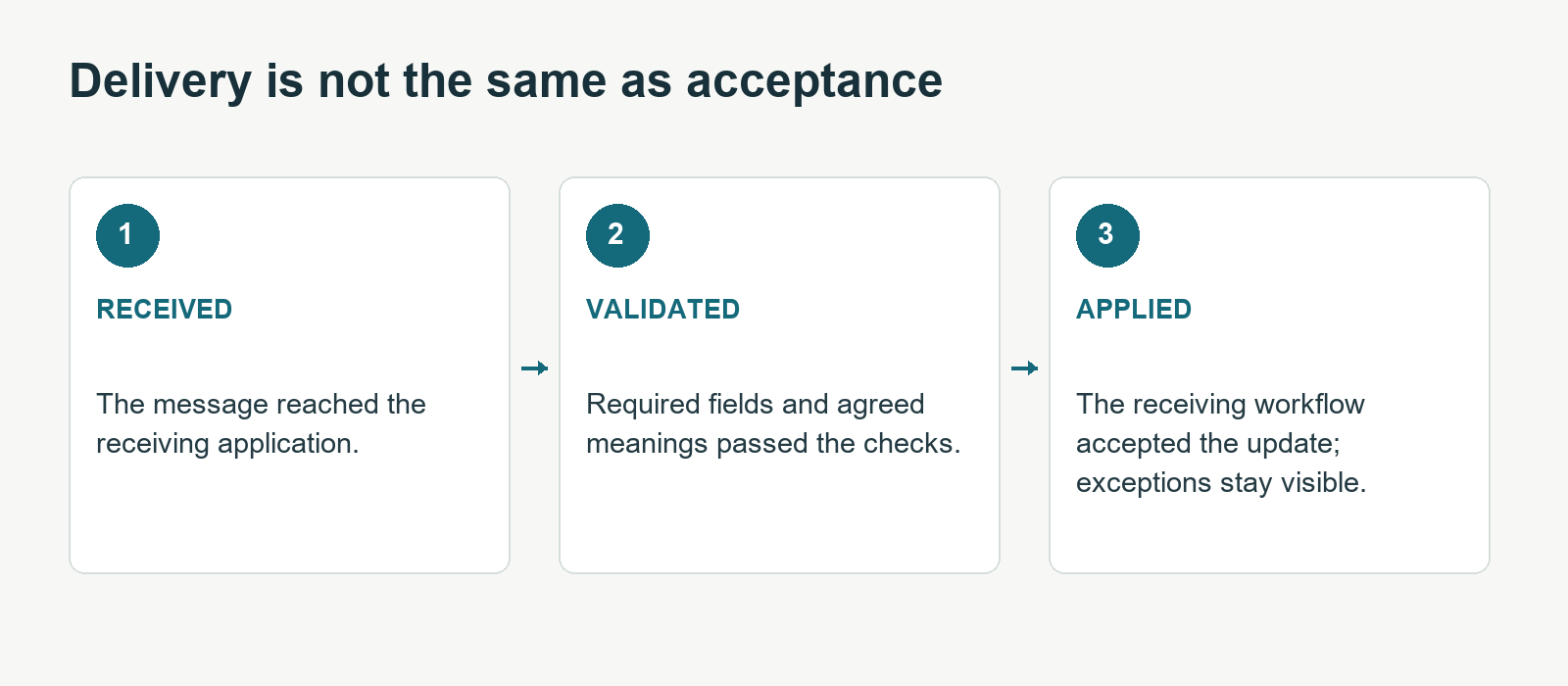
Separate receipt from acceptance and completion. A message may arrive successfully yet fail validation because a required identifier is missing. Maintain an exception workflow with ownership, retry limits and escalation. Do not hide failed messages behind a green connection indicator.
Clinical data integration also needs rules for delayed and corrected information. Define how the receiver handles an update that arrives before its original record or a correction to information already viewed by staff. Preserve the sequence and its meaning in the audit trail.
5. Protect access and avoid unnecessary data duplication
Limit each service account to the operations required by its workflow. Separate normal user access from integration administration, and manage credentials through the organisation’s approved process. Protect information in transit and storage, including diagnostic logs and temporary exports.
Troubleshooting output can accidentally reproduce confidential information. Record enough context to locate a failed transaction without copying complete clinical records into broad-access logs. Review retention and access with the organisation’s security and privacy teams.
NIST’s healthcare security guidance is a useful technical reference for organisations assessing safeguards in a United States HIPAA context. Requirements vary by organisation and jurisdiction, so dialysis software integration should follow the applicable local obligations and the provider’s approved governance process.
6. Rehearse downtime and recovery with staff
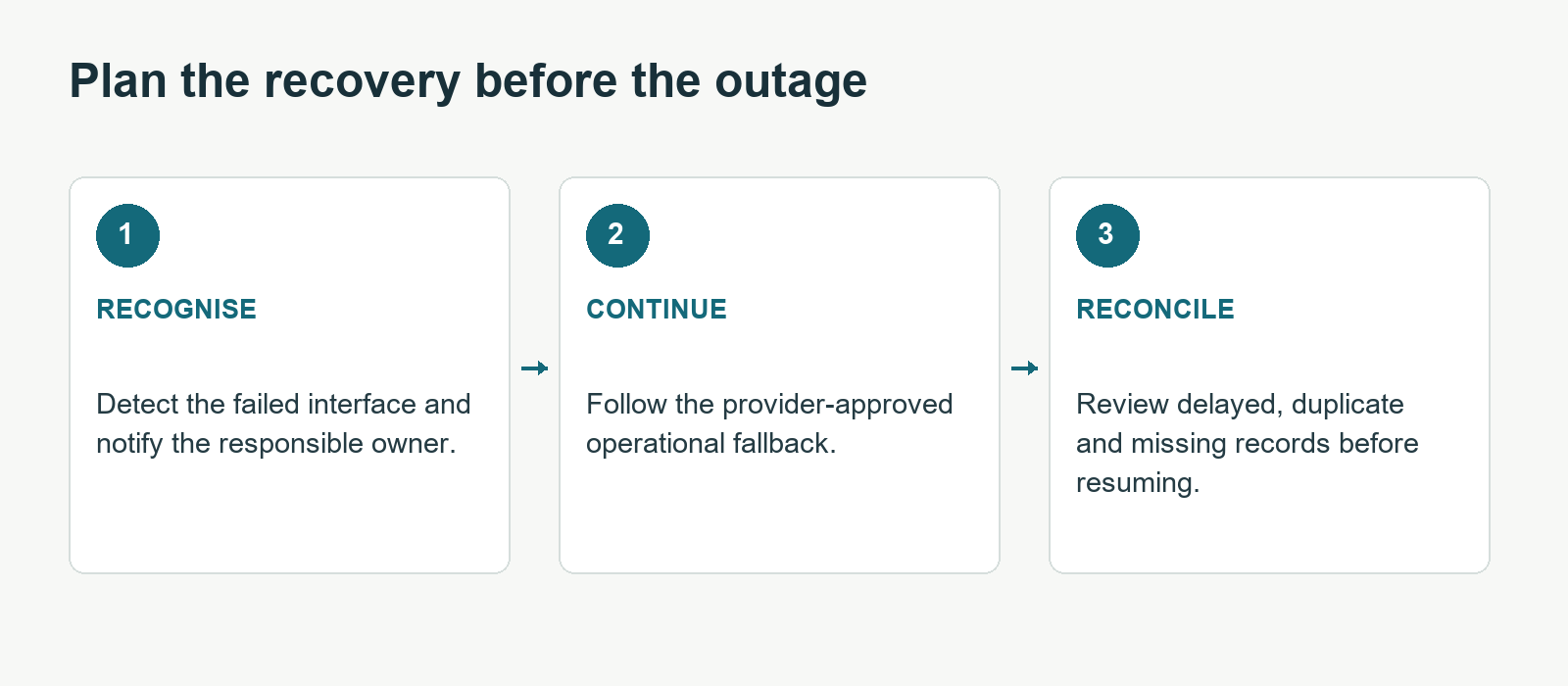
Connected dialysis systems must have a documented response when an interface or application becomes unavailable. Define how staff recognise the outage, which approved fallback process applies and who decides when normal operation can resume. A technical restart alone may not resolve the information backlog.
After recovery, reconcile queued messages against the authoritative systems. Check for duplicates, missing records and changes entered during downtime. Keep unresolved exceptions visible until an authorised owner has reviewed them.
A rehearsal should include both technical and operational participants. Ask whether staff can distinguish delayed information from missing information and whether support teams can identify the responsible interface without opening unrelated patient records. Record the gaps and revise the runbook before expanding the service.
7. Roll out dialysis software integration in measurable stages
Pilot the workflow with a limited scope, an agreed support window and explicit acceptance criteria. Measure delivery delays, validation failures, unresolved exceptions and reconciliation effort. The most useful measures describe the information service, rather than making unsupported claims about patient outcomes.
Review the pilot with the people doing the work. A technically correct exchange may still create extra confirmation steps or confusing notifications. Adjust the workflow and training before connecting additional applications or locations.
Assign ongoing ownership for interface changes, vendor updates and monitoring. Healthcare interoperability is a maintained relationship between systems. When a field, terminology or platform version changes, both sides need a tested plan for preserving the agreement.
Worked example: a scheduling connection with visible exceptions
Imagine a fictional provider connecting a central appointment service to one dialysis centre’s local scheduling application. The initial scope includes confirmed appointment times and approved cancellations. It excludes treatment settings and other clinical instructions. Defining that boundary lets the implementation team test a useful administrative workflow without assuming responsibility for unrelated information flows.
The two applications use different internal patient identifiers. The project therefore establishes an approved association between identifiers before transferring appointments. Records without a confident association enter an exception queue. A trained authorised reviewer resolves the issue through the provider’s normal process; the interface does not infer a match from a similar name.
The receiving application acknowledges a message only after validating its required fields. A stable external appointment identifier prevents an interrupted transmission from creating a duplicate booking when it is retried. The system also records whether a message was received, rejected or applied, so that support staff can distinguish a network problem from a validation problem.
The test set includes a rescheduled appointment, a cancellation, a duplicate message and an update arriving after a temporary outage. It also includes a patient association that is corrected after an initial failure. These cases reveal whether the exception process preserves the intended meaning rather than merely delivering a valid-looking payload.
At the end of the pilot day, authorised staff reconcile the relevant appointments between the two applications. An unresolved difference prevents expansion until its cause is understood. This is a fictional implementation scenario, not a claim about a particular clinical platform or a recommendation for a specific patient’s care.
The value of the exercise is its limited scope and visible recovery path. Once the team can explain how each exception is detected and resolved, it has better evidence for considering additional interfaces. Connecting more systems before that point would multiply unclear responsibilities.
An interface agreement for clinical data integration
Write down which system owns each piece of information. For an appointment, distinguish the organisation that proposes a time from the application that confirms it. For clinical information, involve the appropriate clinical governance owners in defining authority and review status. Technical developers should not invent those meanings from field names.
Describe timestamps carefully. Record whether a field represents the time an event occurred, the time it was documented or the time it was transmitted. Include the timezone convention and how corrections are represented. Two timestamps that look different may describe different events, while two identical-looking values may have been recorded in different timezones.
Define the expected response to an unsupported value. Rejecting it with an actionable explanation may be safer than silently converting it to an approximate category. Where transformation is necessary, document the mapping, its owner and the process for updating it. Review terminology changes alongside software releases.
Specify the supported FHIR version and profiles where that standard is used, along with any other interface standards in the existing environment. Ask suppliers to demonstrate the actual exchange against the agreed contract. Broad marketing claims about healthcare interoperability do not describe the precise operations and fields available in an installed product.
Agree who responds when an interface fails outside normal working hours. The operating agreement should identify monitoring ownership, escalation contacts and the limits of each supplier’s support responsibility. Dialysis software integration needs these practical arrangements as much as it needs a correct technical specification.
Operational measures and release evidence
Measure the time between an authoritative update and its availability in the receiving workflow. Report delayed or rejected records separately from successfully applied records. An average can conceal a small but persistent backlog, so review the oldest unresolved exception as well as typical delivery times.
Track reconciliation effort with the people who perform it. An interface that transfers data quickly may still create substantial manual checking when its status messages are unclear. Document the kinds of intervention required and the reason for each. Use this information to improve connected dialysis systems without confusing administrative efficiency with a demonstrated clinical benefit.
Retain a release record containing the agreed contract version, the test cases, known limitations and the approval from the relevant owners. Keep sensitive test evidence in the approved environment with suitable access controls. A report for a wider audience can describe the checks without reproducing patient-level information.
After a vendor upgrade, repeat the representative tests rather than assuming that an unchanged interface name guarantees unchanged behaviour. Include patient identity matching, corrected records and recovery from a disconnected service. These checks help establish whether the maintained integration still meets the operational agreement that users depend on.
Make the acceptance review understandable to operational users as well as developers. Present a small set of representative records, describe the exceptions encountered and show how each was resolved without exposing unnecessary confidential information. Ask staff to demonstrate the approved fallback process and explain where they would report an inconsistency. Dialysis software integration is ready to expand only when the technical evidence and the operational handover support that decision. If important questions remain unanswered, keep the scope limited while the responsible owners investigate and document the resolution.
Questions for a supplier or implementation team
Ask which interfaces and versions are supported, how identity exceptions are resolved, how duplicate messages are detected and who monitors failures. Request a demonstration of an unavailable connection and a corrected record, rather than only the normal happy path.
Can a dashboard replace integration governance? No. A dashboard can make information easier to view, but it cannot establish authoritative ownership, validate patient identity or resolve a failed exchange by itself. Reliable dialysis software integration depends on those controls being designed and operated together.
Sources and further reading
HL7 FHIR overview. An introduction to electronic healthcare information exchange and implementation concepts.
NIST: implementing the HIPAA Security Rule. A security reference for the relevant United States healthcare context; local requirements still need separate assessment.
Continue reading: modern observability and resilient applications.